
CFN Site Locator
Step 1: Go to https://cfnfleetwide.com/site-locator/ and enter the location.
Step 2: Go through the search options and refine your search.
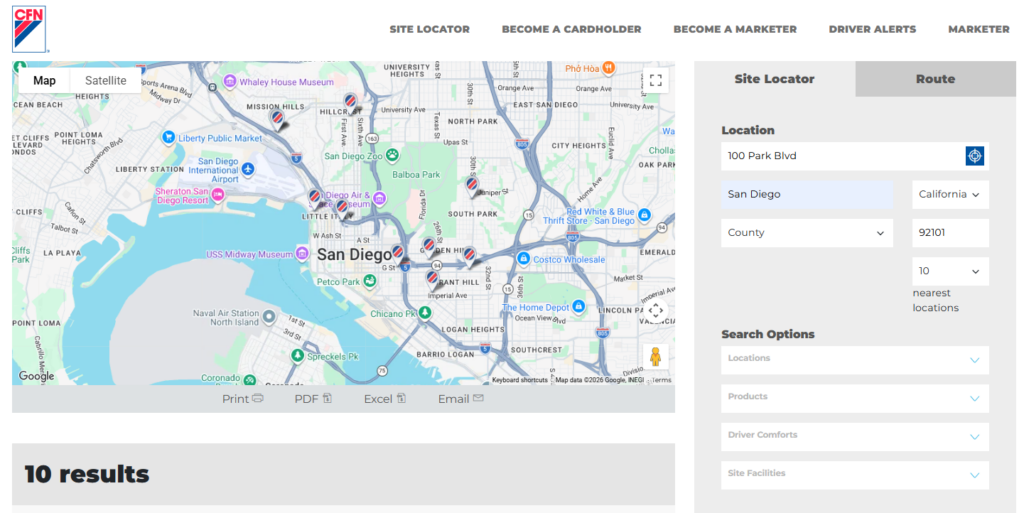
Locations:
- CFN Cardlock and CFNnet will display only wholesale stations.
- Fuelman will display only participating retail sites. You can also choose to filter by a specific station brand.
Products: Choose any specific product you want to find.
Driver Comforts: Filter by amenities such as 24-hour service, ATM access, showers, and CFN Pay (cardless payment).
Site Facilities: Filter by highway access, truck stops, 18-wheel access, truck washes, scales, and more.
Step 3: For this example, we are trying to find wholesale stations near Petco Park in San Diego that have diesel available and can accommodate an 18-wheeler. Once you’ve selected all the necessary options, click “Show Locations.”
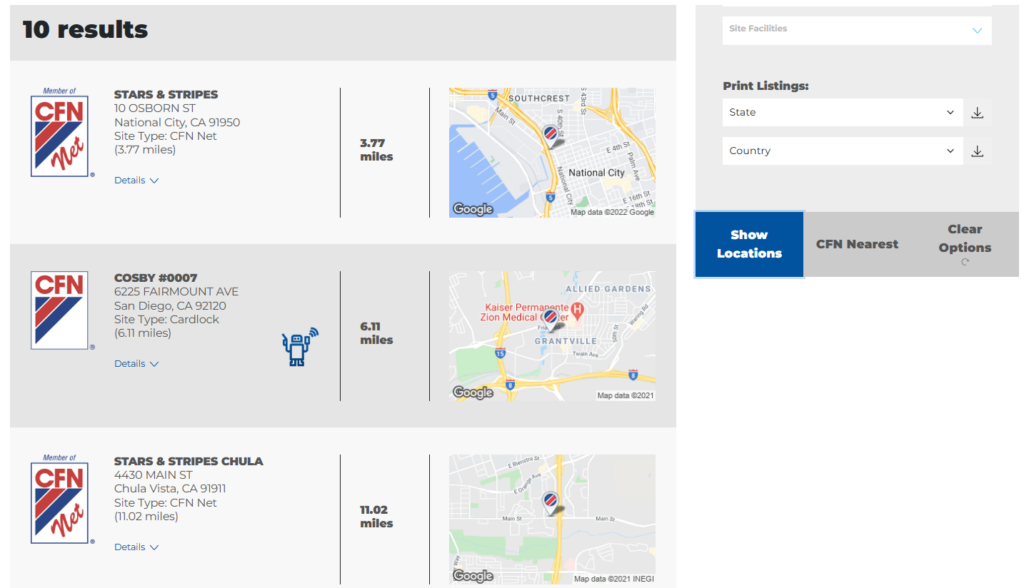
The search results will display the address, distance, and a map. If you would like to see more details about a station, click “Details” below the address.
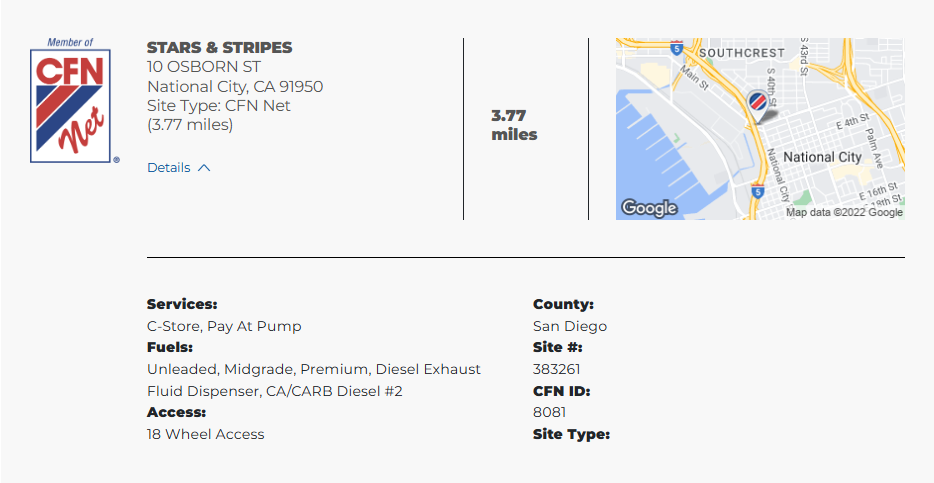
The details will show the services available at the station, the types of fuel available, whether the station has truck access, and more.
CFN App for Android or for iPhone
Step 1: Open the app and enter the address.
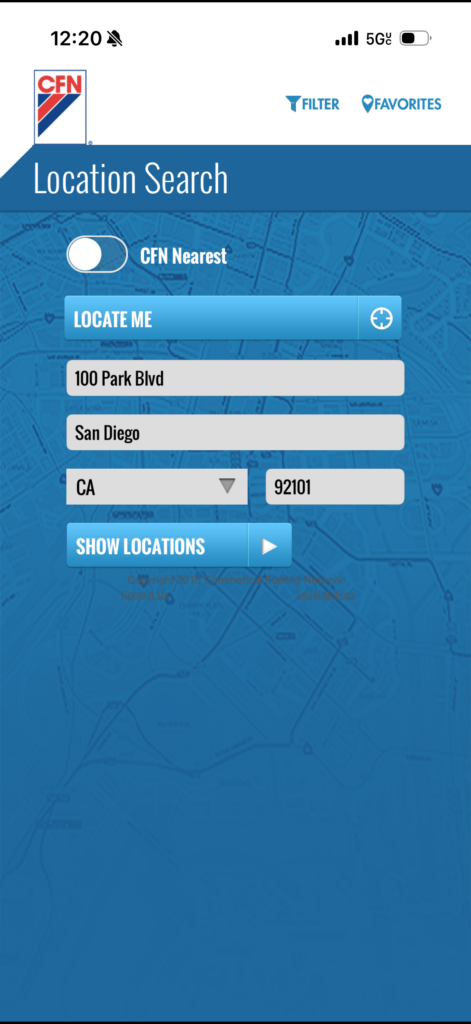
Step 2: Click “Filter” in the top-right corner to pull up all the filters we previously discussed.
Step 3: For this example, we are once again trying to find wholesale stations near Petco Park in San Diego that have diesel available and can accommodate an 18-wheeler. Once you’ve selected all the necessary options and hit “Apply,” click “Show Locations.”
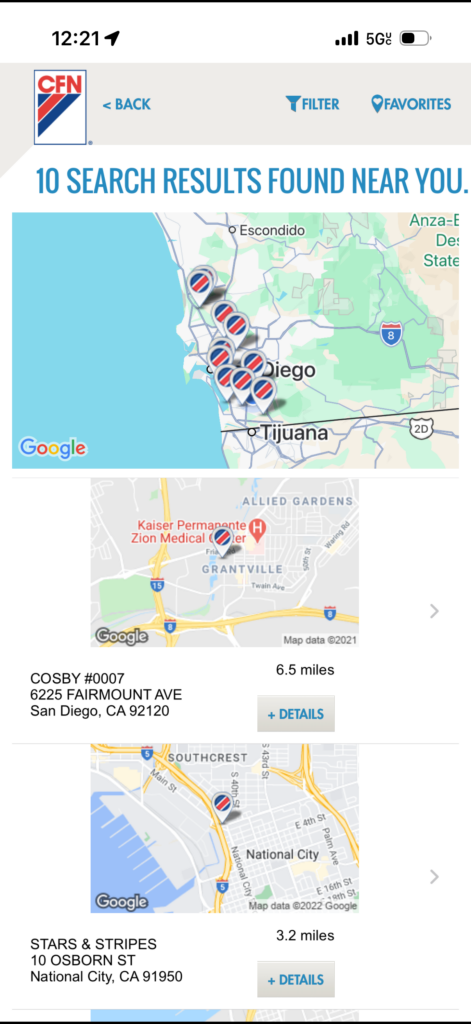
The search results will display the address, distance, and a map, just like the Site Locator. If you would like to see more details about a station, click the gray “Details” button.
The details will show the services available at the station, the types of fuel available, whether the station has truck access, and more.
Energie Fuel Google Maps
The last way to find CFN and retail sites is by going to the Energie Fuel website and using one of our Google Maps.
Step 1:
Go to the Maps page on the Energie Fuel website and select one of the available Google Maps.
For our example, we are going to select the “Wholesale and Retail Sites in San Diego County” map.
Step 2: Become familiar with the left column. You will see toggles that you can turn on and off depending on your needs.
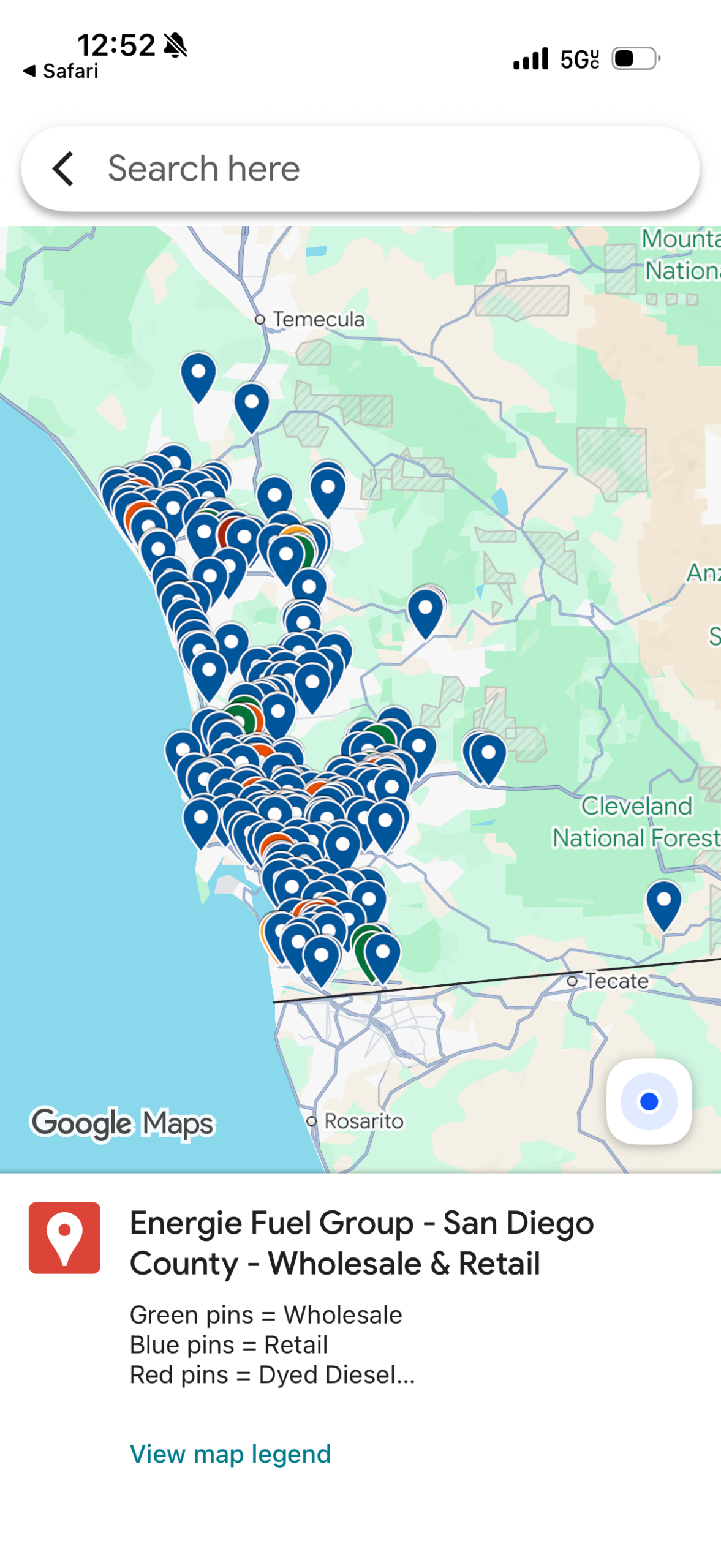
Green pins are wholesale sites in San Diego County, blue pins are retail sites that accept the Energie Fuel Card, red pins are stations that offer red dyed diesel, gold pins are wholesale stations that offer E85, and orange pins are retail stations that offer E85.
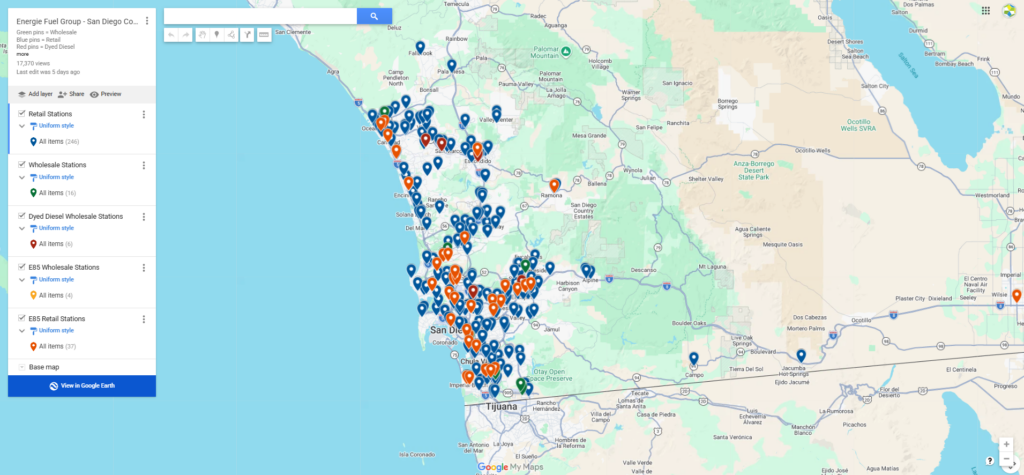
Step 3: Choose between the toggles and select which pins you would like to display.
For this example, we are once again trying to find wholesale stations near Petco Park. After unselecting the other toggles and leaving only the “Wholesale Stations” filter on, the map should display only those locations.
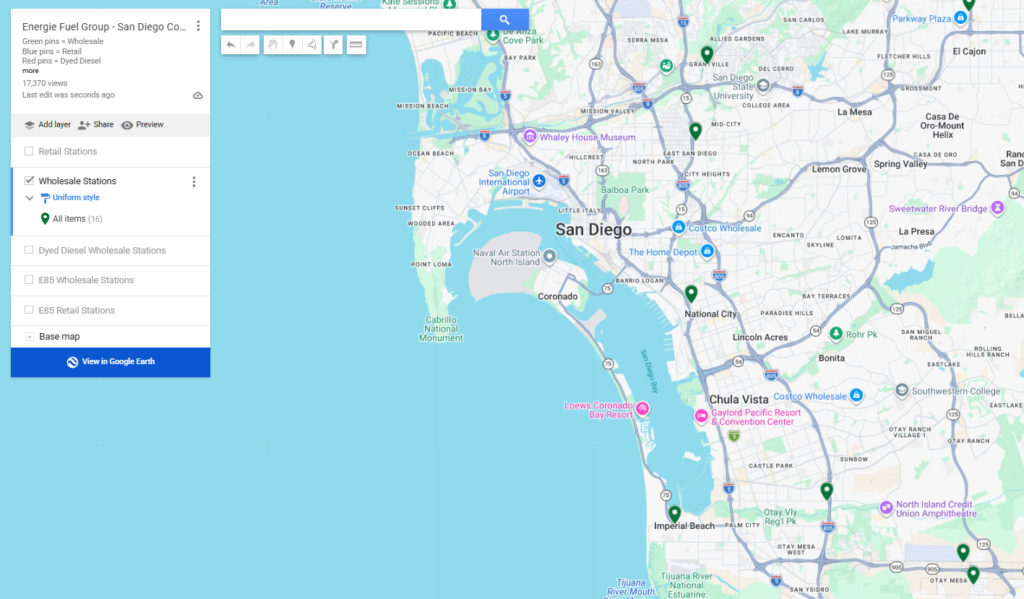
Energie Fuel’s Google Maps can be easily accessed on both PCs and smartphones. We recommend using the Google Maps app on Android or iOS.
How to Download a Custom Map
Step 1: Sign in to your Google Account.
Step 2: Open the Google Maps app on your phone.
-
- Make sure you are connected to the internet and are not using Incognito mode.
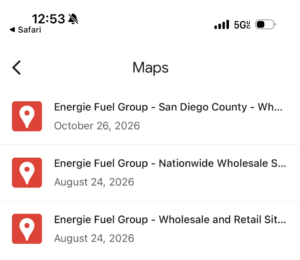
Step 3: Click “You” at the bottom of the screen, then click “Maps.”
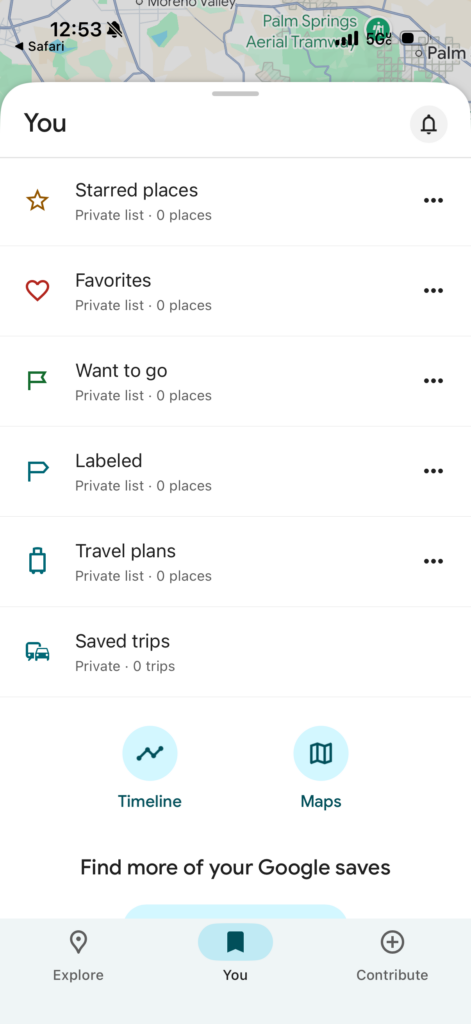
Step 4: You will see all the maps you have opened using your Google Account. Select the map you would like to display.
Step 5: Once the map opens, select “View Map Legend” to toggle the filters.
This method allows you to open any saved map directly on your phone without needing to go through the Energie Fuel website.